
How to use mockups to present your designs — learn 10 expert strategies to impress clients, enhance presentations, and elevate your design portfolio.
What Are Mockups and Why They Matter in Design Presentation
Mockups are visual representations that showcase how a design will look in a real-world context. They help bridge the gap between concept and execution, allowing clients and stakeholders to visualize the end product. Whether you’re designing a website, mobile app, or product packaging, mockups make your ideas tangible and persuasive.
In the competitive design industry, mockups are a vital presentation tool. They don’t just beautify your project — they communicate usability, aesthetics, and professionalism in one glance.
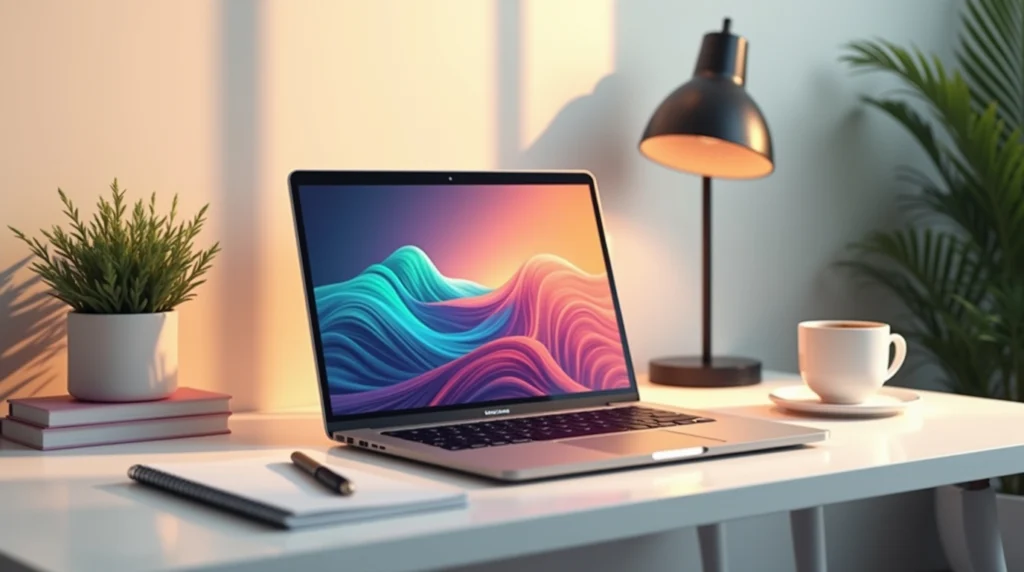
Benefits of Using Mockups for Designers
Using mockups can completely transform how your work is perceived. Here are some benefits that every designer should know:
- Client Clarity: Mockups help clients see exactly how a design will look in context.
- Faster Feedback: Visuals speed up the approval process by reducing confusion.
- Professional Edge: Well-made mockups enhance your portfolio and pitch decks.
- Realistic Presentation: Adds depth, lighting, and shadows that static designs lack.
- Versatility: Mockups can be used across digital, print, and social media platforms.
When used correctly, mockups become a powerful storytelling tool that helps your design sell itself.

Types of Mockups You Can Use
Product Mockups
Ideal for showcasing apparel, accessories, or gadgets. A T-shirt design or logo looks far more convincing on a real model than on a flat canvas.
Website and App Mockups
Perfect for web designers who want to display responsive layouts. Using tools like Figma or Photoshop, you can present how your design appears on desktop, tablet, and mobile screens..
Branding and Stationery Mockups
Use them to present logos, business cards, or brochures in real-life settings like office desks or meeting tables.
Packaging Mockups
Crucial for eCommerce or retail branding. Displaying your design on a box or bottle adds credibility and realism.
How to Choose the Right Mockup for Your Design
When choosing a mockup, align it with your brand story and target audience. Ask yourself:
- Does this mockup enhance or distract from my design?
- Is the background clutter-free?
- Does it match the mood of my project?
A minimal, realistic mockup often outshines flashy or overly stylized ones. Keep consistency across all mockups to maintain a professional tone.
Step-by-Step Guide: How to Use Mockups to Present Your Designs
Step 1: Define the Goal of Your Presentation
Before diving in, determine your objective — is it for client approval, marketing, or portfolio display?
Step 2: Select High-Quality Mockup Templates
Use platforms like Smartymockups, Placeit, or Freepik. These offer ready-to-edit templates that save time while ensuring high resolution.
Step 3: Customize the Mockup to Match Your Brand
Change colors, lighting, and placement to align with your brand identity. Use your unique textures and tones.
Step 4: Add Realistic Lighting and Shadows
Subtle lighting adjustments can make your design pop. Use Photoshop’s blending options to simulate depth.
Step 5: Export and Optimize for Presentation
Always export in web-friendly formats like PNG or JPG. Keep file sizes optimized for smooth display during pitches or uploads.
Best Tools and Websites to Find Mockups
| Platform | Features | Pricing |
|---|---|---|
| Placeit | Huge mockup library, instant editing | Paid |
| Smartmockups | Integrates with Canva & Figma | Free + Pro |
| Mockup World | Free premium-quality mockups | Free |
| Envato Elements | Unlimited downloads, templates & assets | Subscription |
⚡ External Resource: Mockup World — a free collection of premium mockups.
Common Mistakes to Avoid When Using Mockups
- Overusing effects — Keep realism, not exaggeration.
- Ignoring alignment — Crooked placements can ruin presentation.
- Low-resolution images — Always use HD quality for clarity.
- Mismatched context — A coffee cup mockup won’t suit a tech product.
Advanced Tips to Elevate Your Mockup Presentations
- Combine motion mockups for dynamic web or app displays.
- Use 3D perspectives to add realism.
- Create before-and-after comparisons to showcase improvements.
- Add subtle animations using tools like After Effects.
Real-World Examples: How Top Designers Use Mockups
Top agencies like Pentagram and IDEO frequently showcase their branding work using hyper-realistic mockups. These visuals instantly convey a sense of scale, usability, and style that flat images can’t match.
FAQs About Using Mockups in Design Presentations
FAQs
What’s the main purpose of using mockups?
Mockups visualize how your design will look in real-world applications.
Do I need Photoshop to use mockups?
Not necessarily. Tools like Placeit or Canva offer browser-based editing.
How can mockups improve my portfolio?
They make your work look polished and professional, attracting more clients.
Are free mockups reliable?
Yes, if sourced from reputable platforms like Mockup World or Freepik.
How often should I update my mockup templates?
Refresh every 6–12 months to stay current with design trends.
Can mockups be used for social media marketing?
Absolutely! Mockups make your posts more engaging and brand-consistent.
Conclusion: Mockups as a Game-Changer for Designers
Mockups transform your static designs into vivid, client-ready presentations. They not only help convey your ideas more effectively but also enhance credibility and visual storytelling. By mastering how to use mockups, you’ll set yourself apart as a professional designer capable of bringing concepts to life.