
If you’re a designer, you know how much a mockup can elevate your presentation. Whether you’re pitching a logo, packaging, or web design, a polished mockup helps clients visualize your work in the real world. The best part? You don’t need to spend a dime.
We’ve handpicked 10 of the best free PSD mockups available today. Each one is high-quality, fully editable, and ready to go in Photoshop or Photopea. Just drop in your design and watch your concept come to life.
1️⃣ Branding Stationery Mockup
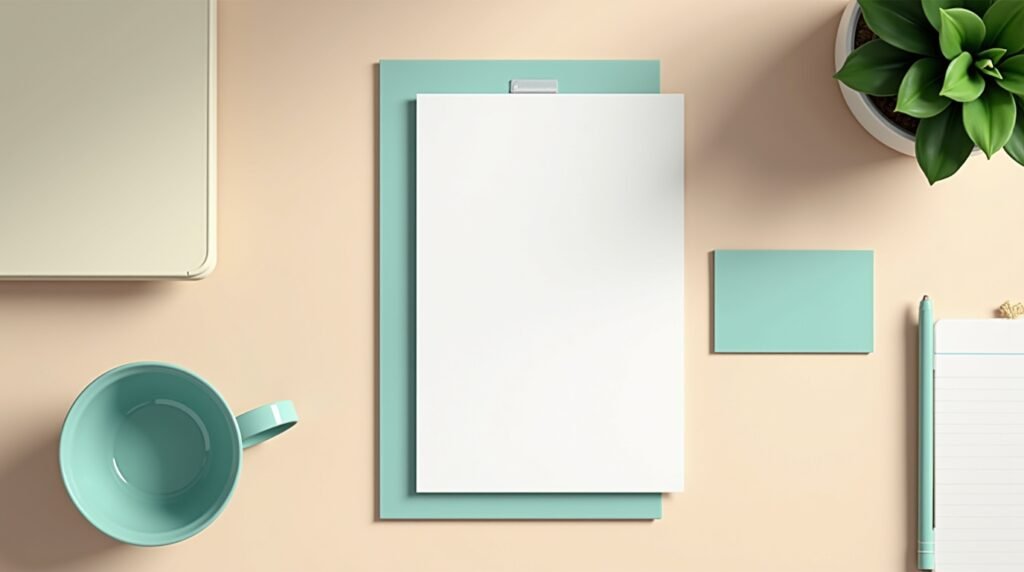
A clean and minimal branding stationery mockup perfect for showcasing logos, letterheads, and business cards. Present your brand identity in a sleek professional layout that feels ready for a client pitch or portfolio feature.
2️⃣ T-Shirt Mockup

If you design merch or apparel, this T-shirt mockup is your new go-to. Realistic folds, shadows, and textures bring your printed designs to life without needing a photoshoot.
3️⃣ iPhone 15 Screen Mockup

Show off your app or responsive web design with this modern iPhone 15 mockup. The crisp screen and realistic lighting make your UI pop instantly.
4️⃣ Poster in Frame Mockup

Perfect for illustrators and typographers, this poster mockup gives your artwork a gallery-ready look. Hang it on a minimalist wall and let your design shine.
5️⃣ Packaging Box Mockup

A must-have for brand and packaging designers, this box mockup helps visualize your product branding before printing. Adjust background colors and shadows for the perfect composition.
6️⃣ Notebook Mockup

From doodles to journals, the notebook mockup offers a textured, artistic feel. It’s great for stationery designers or illustrators who want to show off their sketches in context.
7️⃣ Coffee Cup Mockup

Café branding never looked better. Use this coffee cup mockup to showcase your logo or label design in a real-world café environment.
8️⃣ Laptop Screen Mockup

Need to display a responsive web layout? This laptop mockup highlights your design beautifully, ideal for UX/UI designers and web developers.
9️⃣ Billboard Mockup

Take your advertising designs to the streets with a billboard mockup that captures the feel of a busy urban environment. Perfect for showcasing outdoor campaigns or OOH visuals.
🔟 Magazine Spread Mockup

If you’re working on editorial layouts or print previews, this magazine spread mockup adds realism and depth to your page design. Great for portfolios and client proofs.
How to Customize PSD Mockups
Editing PSD mockups is super easy:
- Open the PSD file in Photoshop or Photopea.
- Double-click the Smart Object layer.
- Paste your design and save.
- Adjust shadows, reflections, and background colors as needed.
You’ll get a high-quality, photo-realistic preview of your work—ready for portfolios, client decks, or social media.
Download All 10 Free Mockups
- 👉 Get the Full Mockup Bundle (instant download).
- No sign-up required — just pure design happiness.
Wrap-Up
Free doesn’t mean low-quality. The right free PSD mockups can make your designs look premium, polished, and professional. Whether you’re building your portfolio or preparing a client presentation, these mockups help you communicate ideas with impact.
Bookmark sgfx.io/blog — we drop new design freebies, mockups, and templates every week to keep your creative toolkit fresh and full of inspiration.
If you’re wondering about your color season, above all if you feel you might be a Deep Summer, comprehending the deep summer color palette can be a major breakthrough for your wardrobe and hair color choices. Deep summer color analysis enables you to locate which refreshing, subtle tones complement your skin perfectly, whether you have a amber undertone, dusky skin, or ivory skin. There are countless available tools and questionnaires online, including AI color analysis alternatives, that make identifying your seasonal color type more straightforward than ever — examine low contrast for a swift, participatory color palette test.
Identifying your color season isn’t just about clothes; it can also guide your hair color choices for 2026 trends, from fresh summer hair colors to accents that flatter deep summer types perfectly. Seasonal color analysis benefits with makeup too, confirming everything blends magnificently with your original tones. If you’re unclear whether you’re a Deep Summer or likely a Light Spring or Dark Winter, allocating some time with color analysis tools or accessible quizzes can determine what colors genuinely make you illuminate.